







Understand the program
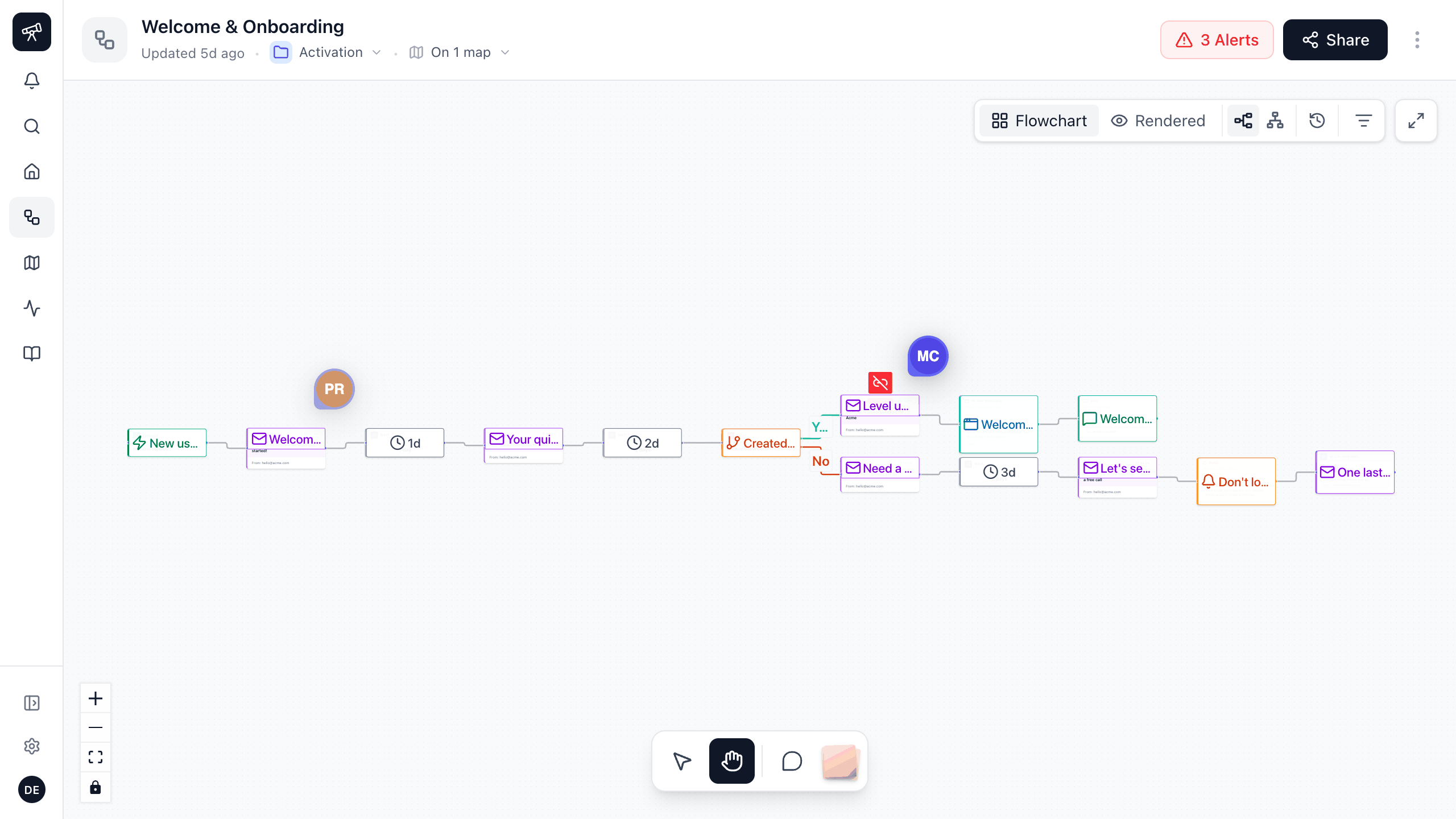
The real creative in context: what fires, when and to whom.
Connect a read-only key. Every journey lands on one live canvas. Link them and see the full flow.
Designed in collaboration with
Rendered view
Templates render with sample data so you review a real email on every step.
On the step
The subject, the sender, the creative and the numbers sit on the step they belong to.
Connects toMCP
Humans and agents on one canvas
Comments pin to the step. Stakeholders join from a share link with no ESP seat.
Connects toSharing
Maps
Put journeys from any ESP on one map and draw how a customer moves between them.
Connects toReporting

Exported 12 Sep. Four journeys have changed since.
Last edited by Priya, 6 weeks ago.
QBR_final_v3_FINAL.pptx
A doc nobody has opened since March.
Never stale
The canvas updates continuously, and you can refresh it yourself to see a change right away. It is an exact mirror of your ESP, laid out as a map. There is nothing to export and nothing to keep up to date.

The real creative in context: what fires, when and to whom.
Link journeys from any ESP into one arc and the gaps show up.
Brand, legal, product and support comment where the work is.
Your AI reads the same journeys through the MCP.
"I find it so useful to look at flow of campaign with full previews of emails! It helps connect the dots on how users move through it, while making it easy to share with cross-functional partners."
Lifecycle Marketer at
Behind the JRNY takes one real lifecycle journey apart with the person who built it.
All postsConnect a read-only API key and see one of your own journeys mapped live in minutes.
No card, no sales call, no setup.